Features im Überblick

Der Simple Void Installer bietet eine umfassende und benutzerfreundliche Lösung für die Installation von Void Linux mit zahlreichen Optionen und maximaler Flexibilität.
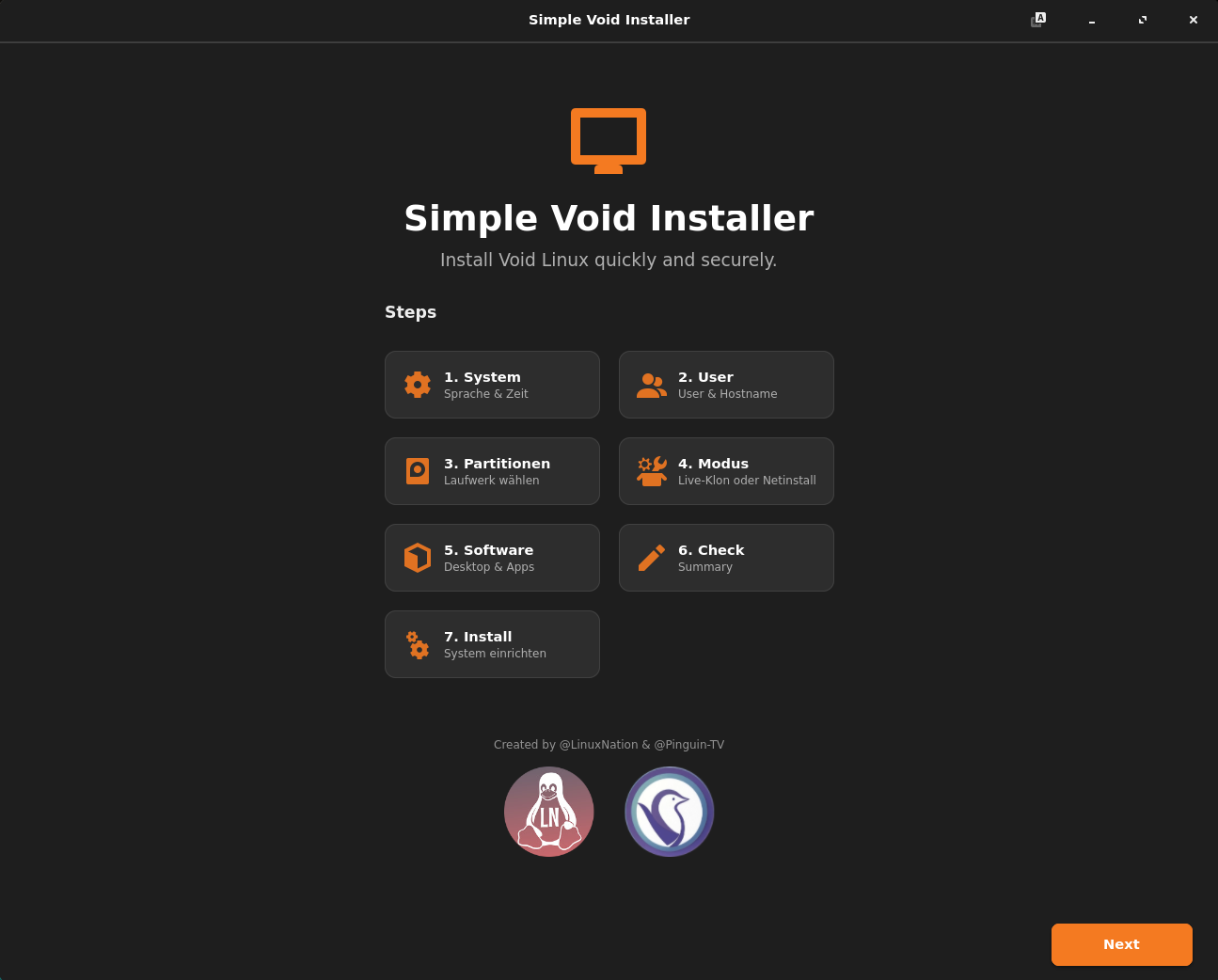
Installations-Modi

Live-System Klonen (Offline)

Kopiert das laufende Live-ISO 1:1 auf die Festplatte. Extrem schnell, keine Internetverbindung nötig.

Netinstall (Online)

Lädt die aktuellsten Pakete direkt aus dem Repo. Ermöglicht die freie Wahl der Desktop-Umgebung.

Partitionierung

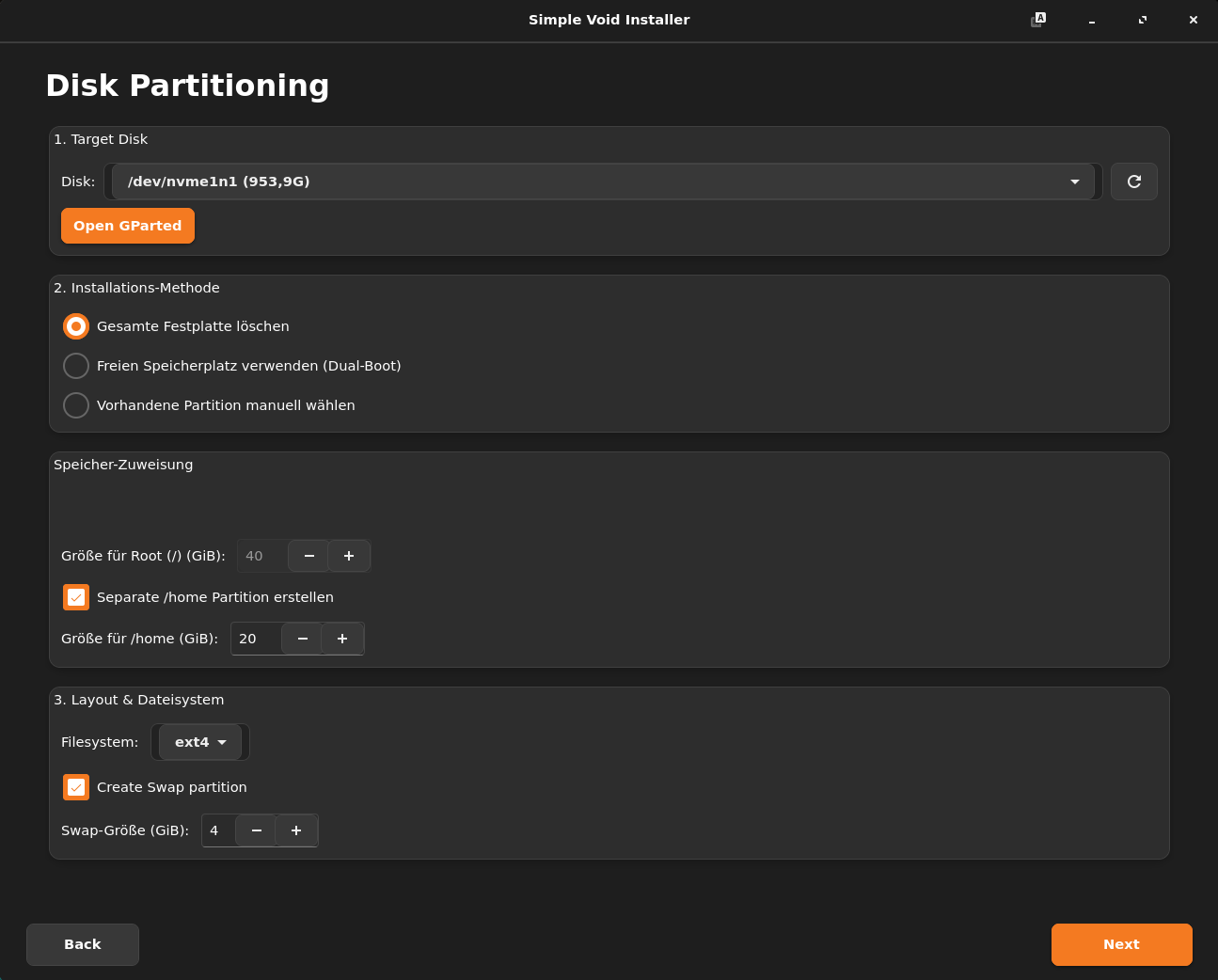
  • Automatisch: "Ganze Festplatte löschen" oder "Freien Speicher nutzen" (Dual-Boot)
  • Manuell: Zuweisung vorhandener Partitionen
  • Dateisysteme: Unterstützung für ext4, xfs und btrfs
  • Btrfs Subvolumes: Automatische Erstellung von @, @home, @snapshots, @var_log etc. bei Auswahl von Btrfs
  • GParted Integration: Direkt aus dem Installer aufrufbar

Desktop & Software

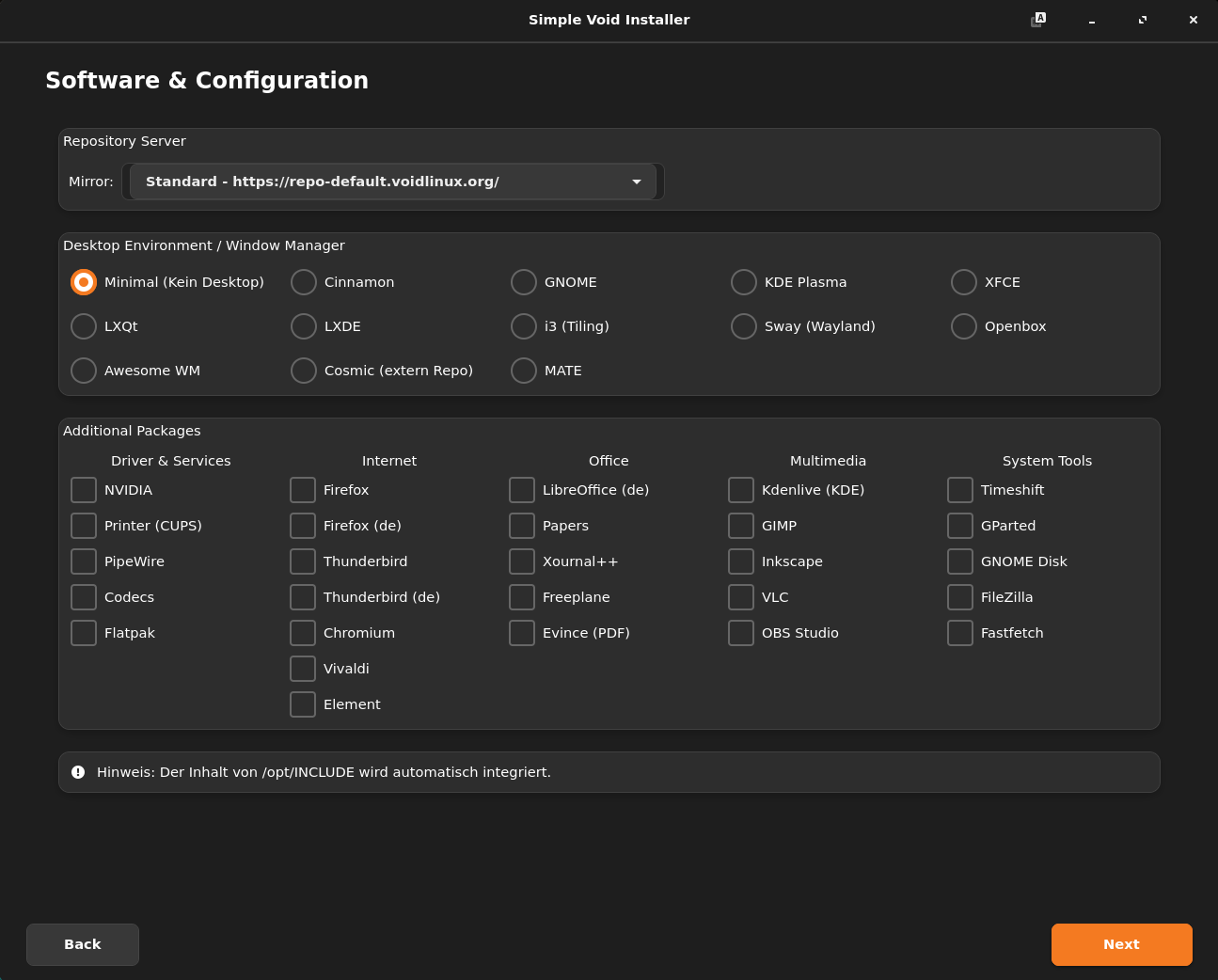
Große Auswahl an Desktop-Umgebungen:

Cinnamon GNOME KDE Plasma XFCE Mate LXQt LXDE i3 Sway Openbox Awesome Cosmic
  • Browser: Firefox (Standard/ESR/De), Chromium, Vivaldi, Element
  • Office & Tools: LibreOffice, Thunderbird, Multimedia-Codecs, NVIDIA Treiber
  • Repositories: Auswahl verschiedener Tier-1 Mirrors

Konfiguration

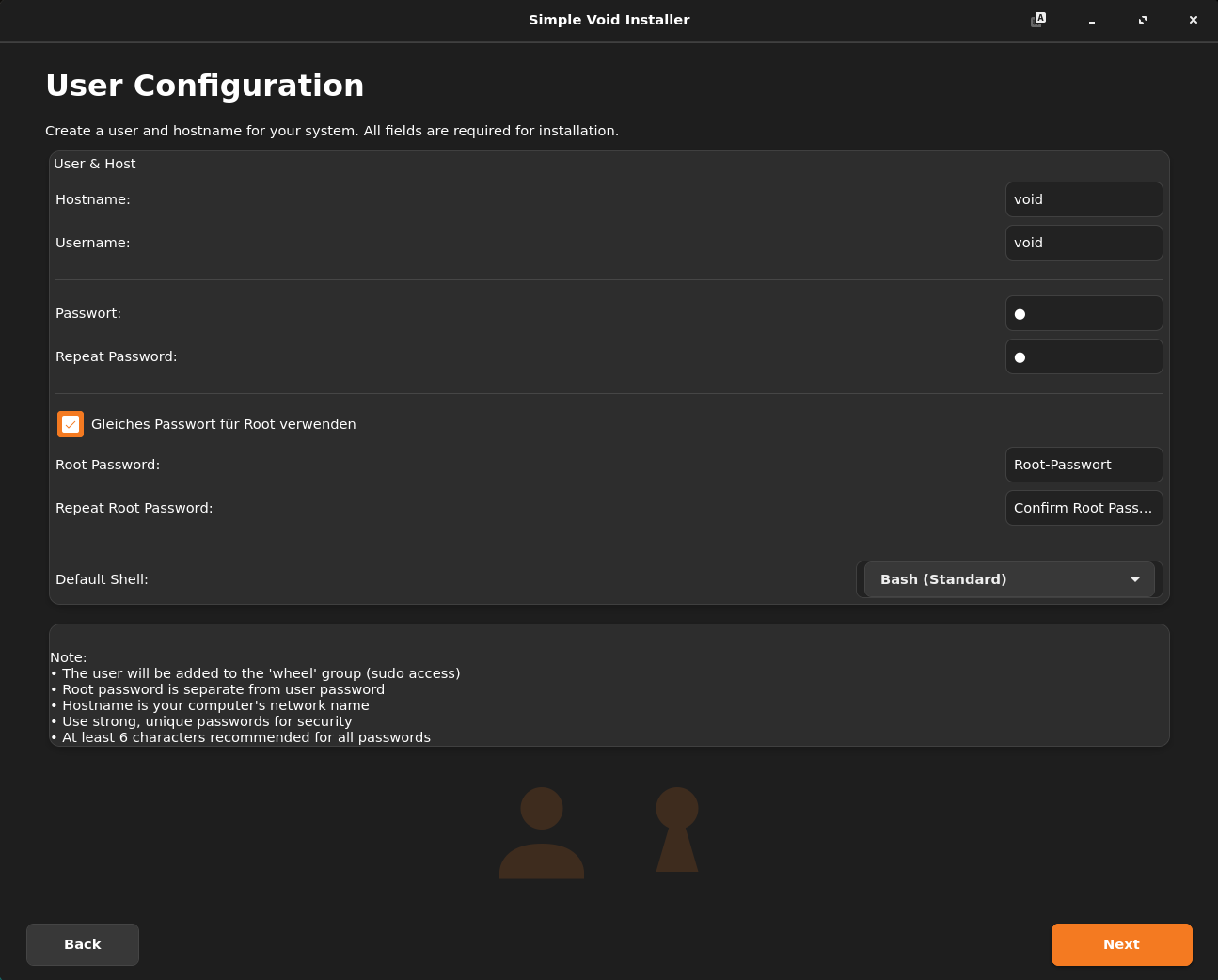
  • User: Erstellung von Benutzer und Root-Passwort (optional gleiches PW)
  • Shells: Bash, Zsh, Fish
  • Features: Aktivierung von PipeWire, Flatpak, CUPS (Drucker)
  • Anpassungen: Optionale Integration eines lokalen /opt/INCLUDE Ordners in das Zielsystem

Voraussetzungen

Um den Installer auszuführen (z.B. auf einer Void Linux Live ISO), werden folgende Pakete benötigt:

python3 gtk4 python3-gobject libadwaita parted lsblk wipefs

Lokalisierung

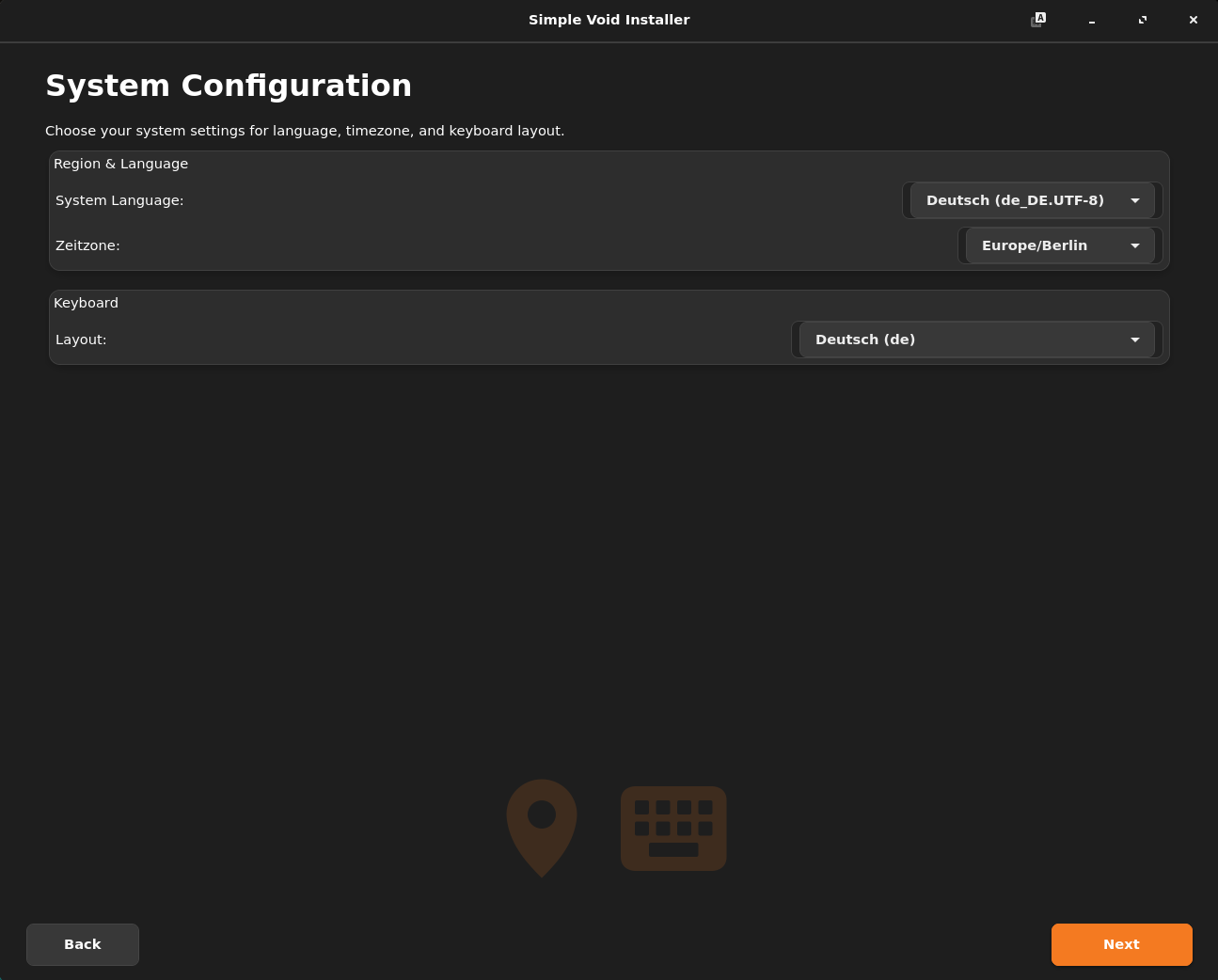
Der Installer unterstützt derzeit folgende Sprachen und erkennt die Systemsprache automatisch:

🇩🇪 Deutsch 🇺🇸 Englisch 🇫🇷 Französisch 🇮🇹 Italienisch 🇪🇸 Spanisch

Technische Basis

Der Simple Void Installer wurde mit modernen Technologien entwickelt und fügt sich nahtlos in Ihr Linux-System ein.

Python 3 GTK4 + Libadwaita Btrfs GRUB/UEFI Void Linux

Download & Installation

Der Simple Void Installer ist speziell für Void Linux entwickelt und läuft auf allen kompatiblen Systemen.


Installation: Starten Sie einfach das Installationsprogramm:

Datei entpacken

# install.sh ausfürbar machen
sudo ./install.sh

Der Installer startet automatisch
Folgen Sie den klaren Anweisungen auf dem Bildschirm und richten Sie Ihr perfektes Void Linux System ein.

Details

  • - Version: 1.1.0
  • - Letztes Update: 02/2026
  • - Dateigröße: ca. 56 MB
  • - Lizenz: Open Source

Credits

Created by @LinuxNation & @Pinguin-TV

Inspired by the simplicity of Void Linux.

Void Linux® is a registered trademark of the Void Linux project.

Features Overview

The Simple Void Installer provides a comprehensive and user-friendly solution for installing Void Linux with numerous options and maximum flexibility.

Installation Modes

Live System Clone (Offline)

Copies the running Live-ISO 1:1 to the hard drive. Extremely fast, no internet connection required.

Netinstall (Online)

Downloads the latest packages directly from the repo. Allows free choice of desktop environment.

Partitioning

  • Automatic: "Erase entire disk" or "Use free space" (Dual-Boot)
  • Manual: Assignment of existing partitions
  • Filesystems: Support for ext4, xfs and btrfs
  • Btrfs Subvolumes: Automatic creation of @, @home, @snapshots, @var_log etc. when selecting Btrfs
  • GParted Integration: Directly accessible from the installer

Desktop & Software

Wide selection of desktop environments:

Cinnamon GNOME KDE Plasma XFCE Mate LXQt LXDE i3 Sway Openbox Awesome Cosmic
  • Browser: Firefox (Standard/ESR/De), Chromium, Vivaldi, Element
  • Office & Tools: LibreOffice, Thunderbird, Multimedia Codecs, NVIDIA Drivers
  • Repositories: Selection of various Tier-1 mirrors

Configuration

  • User: Creation of user and root password (optionally same password)
  • Shells: Bash, Zsh, Fish
  • Features: Activation of PipeWire, Flatpak, CUPS (Printer)
  • Customizations: Optional integration of a local /opt/INCLUDE folder into the target system

Requirements

To run the installer (e.g. on a Void Linux Live ISO), the following packages are required:

python3 gtk4 python3-gobject libadwaita parted lsblk wipefs

Localization

The installer currently supports the following languages and automatically detects the system language:

🇩🇪 German 🇺🇸 English 🇫🇷 French 🇮🇹 Italian 🇪🇸 Spanish

Technical Foundation

The Simple Void Installer was developed with modern technologies and integrates seamlessly into your Linux system.

Python 3 GTK4 + Libadwaita Btrfs GRUB/UEFI Void Linux

Download & Installation

The Simple Void Installer is specifically developed for Void Linux and runs on all compatible systems.


Installation: Unzip the file.

Make install.sh executable.

# To install all dependencies:
sudo ./install.sh

The installer will start automatically.
Follow the clear on-screen instructions and set up your perfect Void Linux system.

Details

  • - Version: 1.1.0
  • - Last Update: 02/2026
  • - File Size: ca. 56 MB
  • - License: Open Source

Credits

Created by @LinuxNation & @Pinguin-TV

Inspired by the simplicity of Void Linux.

Void Linux® is a registered trademark of the Void Linux project.